See the ESP32-CAM project before you build it
A quick walkthrough of the live video RC car setup, showing how the camera stream, joystick control, and app layout come together in the finished project.
Video Demo
ESP32-CAM RC Car with Live Video
Control Your Robot, Wirelessly.
RoboLink connects your phone to Arduino-based robots via Wi-Fi & Bluetooth — with a fully customizable controller interface.
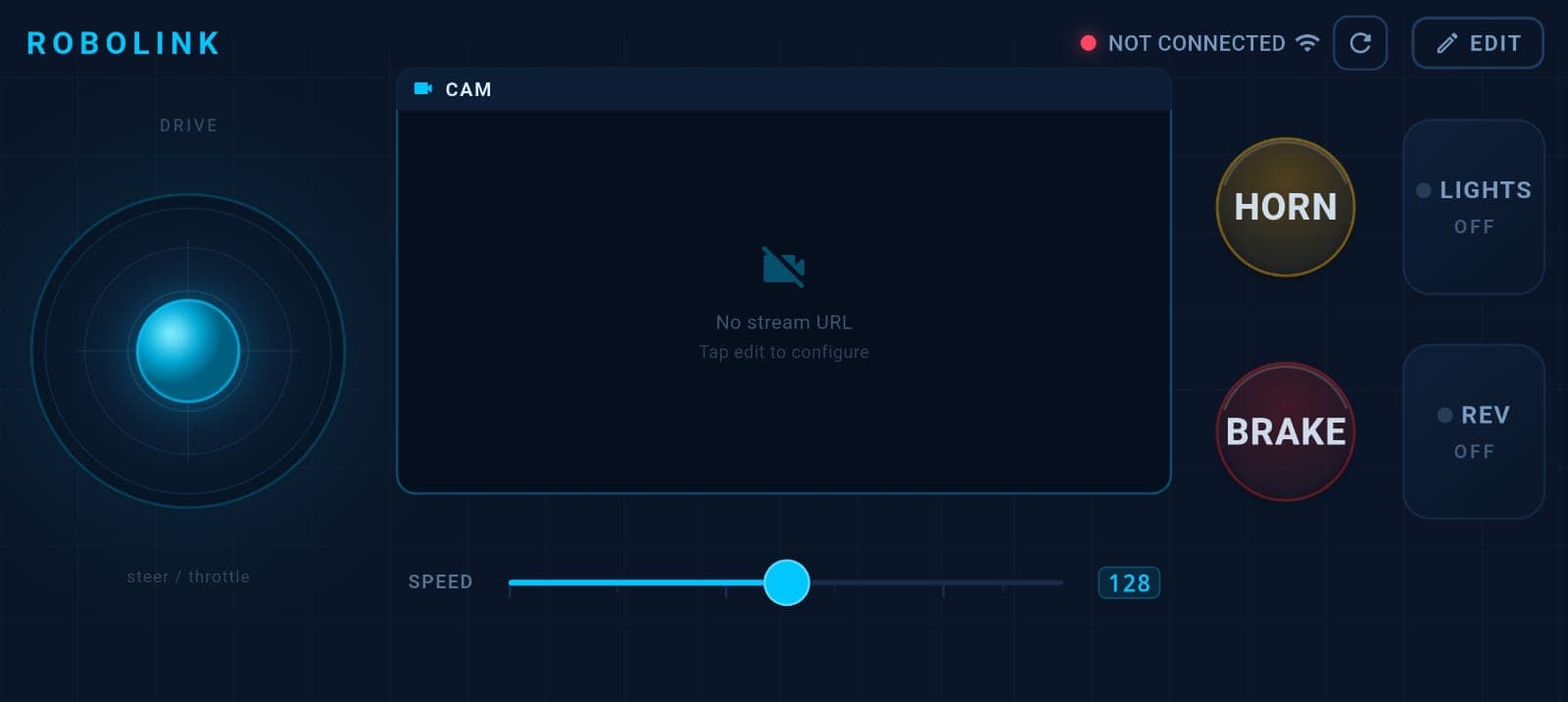
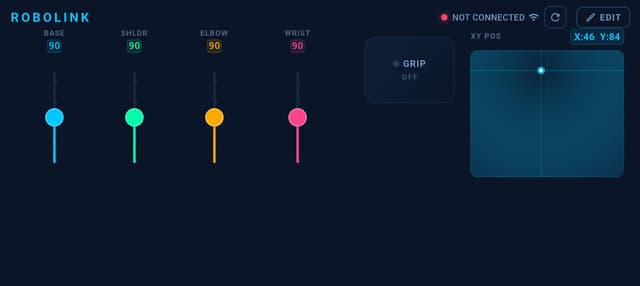
Everything you need to control your robot
A complete wireless control solution with customizable widgets, real-time streaming, and support for dozens of Arduino boards.
Wi-Fi (UDP) & Bluetooth
Connect to your robot via Wi-Fi UDP or Bluetooth Classic with configurable port and interval settings.
Customizable Joystick
Full analog joystick with axis inversion, dead zones, and configurable output range for precise control.
Drag-and-Drop Editor
Build your perfect controller layout with a visual widget editor. Add joysticks, buttons, sliders, and more.
Live Camera Streaming
View MJPEG camera feeds in real-time with flip, mirror, and fullscreen options for FPV driving.
Multiple Widget Types
Toggle switches, momentary buttons, sliders, D-pads, XY pads, gauges, and trigger controls.
Layout Save & Load
Save your custom layouts and switch between presets like RC Car, Robotic Arm, or your own creations.
Fast Reconnect
Automatic reconnection for dropped connections with persistent device history and quick pairing.
Onboarding Walkthrough
Step-by-step setup guide for new users with interactive tutorials and example projects to get started.
Up and running in three steps
Upload the Arduino Library
Download the RoboLink Arduino library, install it in your IDE, and upload the example sketch to your board.
Connect via Wi-Fi or Bluetooth
Open the app, select your connection type, and pair with your Arduino board in seconds.
Customize & Drive
Build your perfect controller layout with drag-and-drop widgets, save it, and start controlling your robot.
See RoboLink in action
A sleek, dark-themed interface designed for real-time robot control.
Ready to build your robot controller?
Download RoboLink for free on Google Play. Pair it with our Arduino libraries and start controlling your robot in minutes.
Coming soon to iOS. Arduino library is open source.